1.2 One plugin instead of a dozen

One complete store. Simple to run.

Orders, products, swatches, coupons, free shipping, stock alerts, vacation mode: Store Admin replaces the stack of plugins a store usually needs, with one clean admin built for store owners. Start free, and go Pro when you’re ready to grow.

  • Free, GPL-licensed
  • One plugin instead of a dozen
  • Back to the classic admin in one click
maison-lumiere.fr/wp-admin
  • One plugin, set up in one place
  • No data altered, no external services
  • The classic admin is always one click away
  • Interface available in English and French

All-in-one

One plugin instead of a whole stack.

Each of these tools usually means a separate plugin, with its own settings, its own updates and its own conflicts. In Store Admin, you set everything up in one place, in one interface. The free version already runs your store; Pro adds what a growing store needs.

Without Store Admin

12plugins to install, configure and update

  • Variation swatches
  • Free shipping bar
  • Announcement bar
  • Back in stock alerts
  • Review requests
  • Vacation mode
  • Scheduled coupons
  • Admin menu editor
  • Admin search
  • PDF invoicesPro
  • Parcel trackingPro
  • Email customizerPro

With Store Admin

1plugin

One place to set things up, one interface, one update.

  • Orders, products, customers
  • Sales tools included
  • Switch back in one click
  • Freeincluded in the free version
  • Prowith a Pro license
  • + Proextra options with Pro
  • Free

    Orders

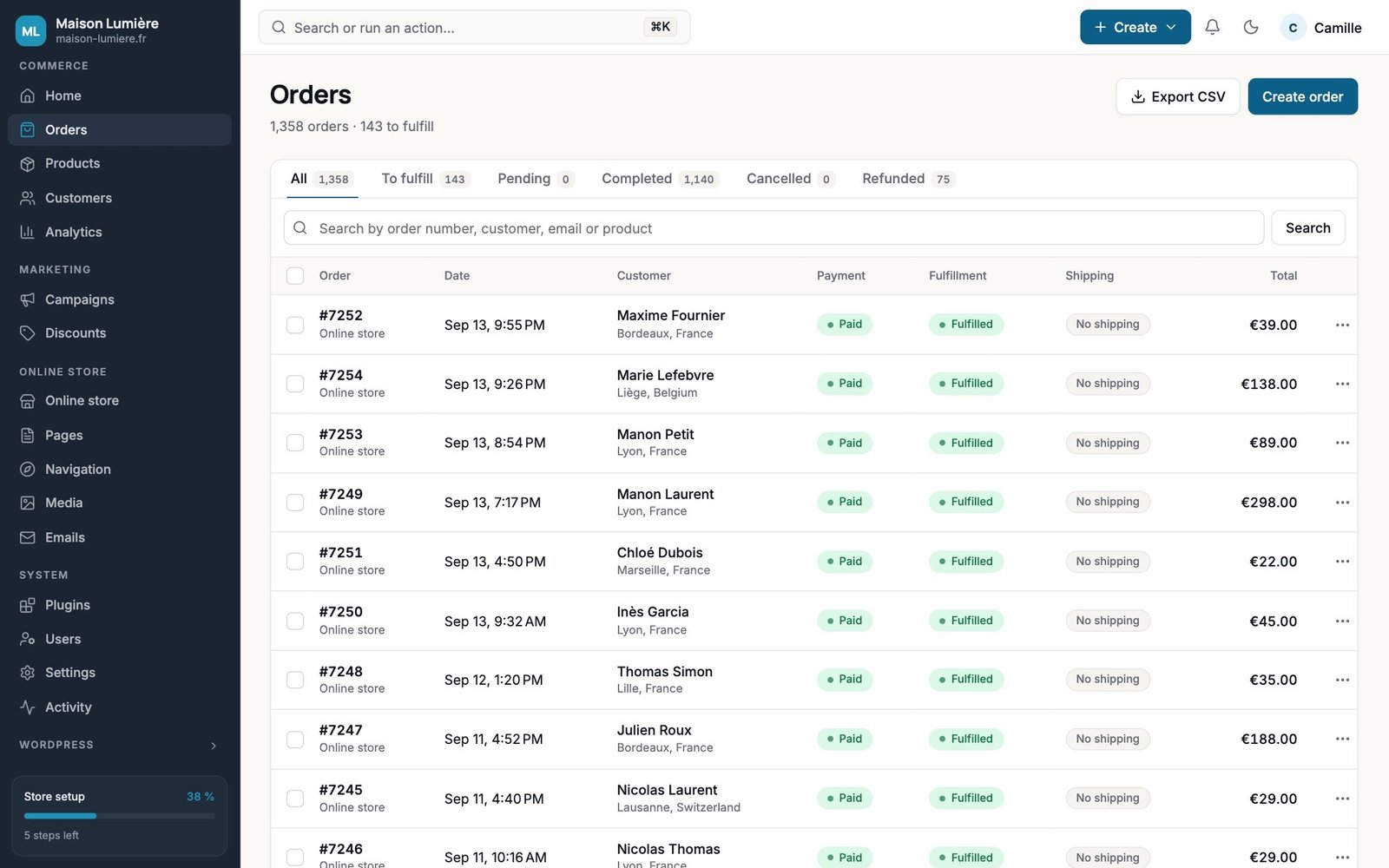
    Tabs, quick view, and a clear order page with its full history.

  • Free

    Products and variations

    Everything on one page: photos, price, stock, variations and their photos.

  • Free

    Variation swatches

    Colors, images or buttons instead of dropdowns.

    + Pro: on shop pages, two-tone
  • Free

    Free shipping bar

    “You’re €12 away from free shipping,” right in the cart.

    + Pro: product page, banner, colors
  • Free

    Announcement bar

    A message and a link at the top of every page.

    + Pro: dates, rotation, countdown
  • Free

    Back in stock alerts

    Customers leave their email and get notified when you restock.

    + Pro: waiting list, export, team alert
  • Free

    Review requests

    An email a few days after the order, listing the products to review.

    + Pro: clickable stars, reminder
  • Free

    Scheduled coupons

    Start and end times to the minute, plus a link that applies the code.

    + Pro: automatic discounts and conditions
  • Free

    Vacation mode

    A banner with your dates that shows up and goes away on its own.

    + Pro: paused orders, pop-up, hidden prices
  • Free

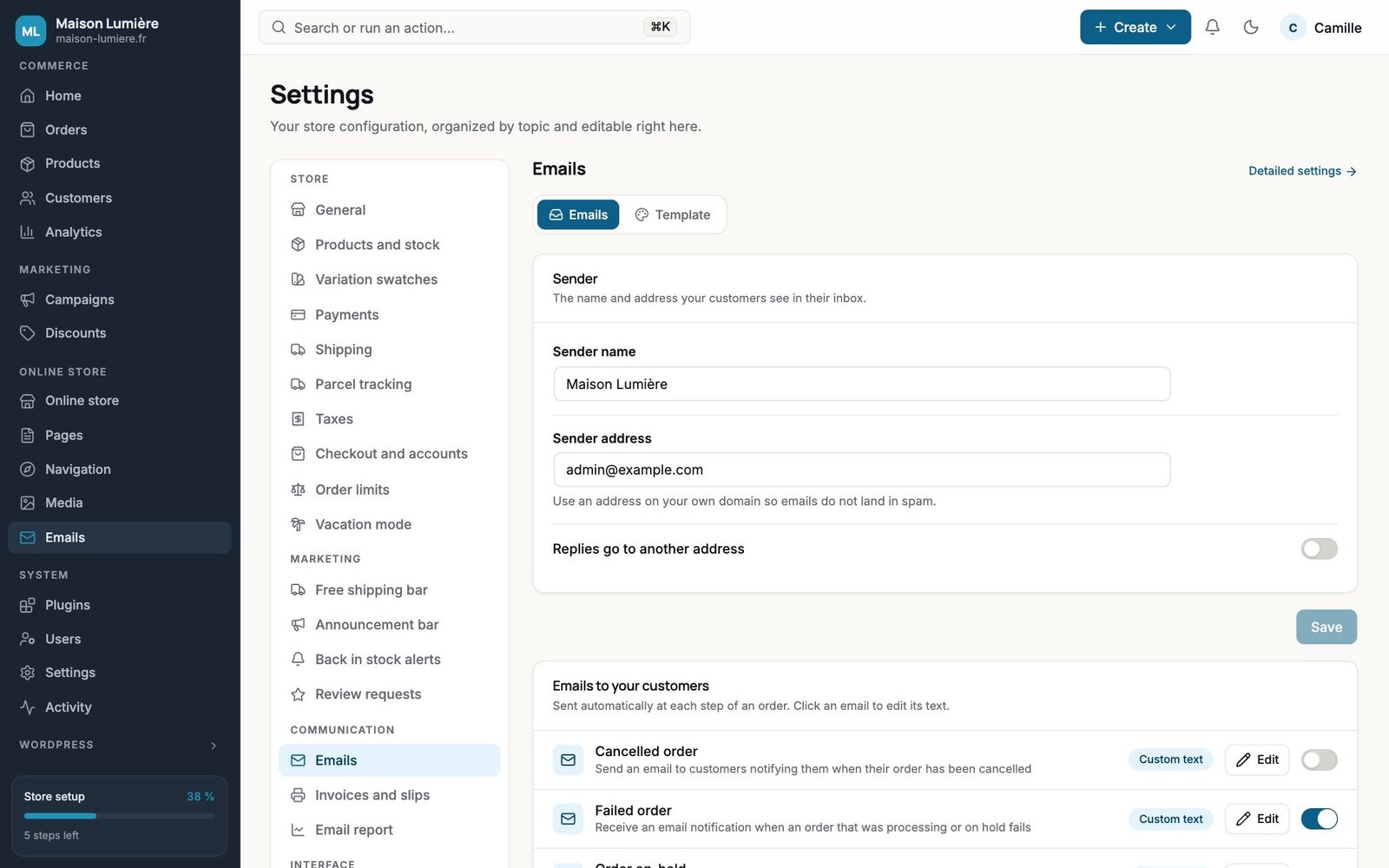
    Store settings

    Address, currency, payments, shipping, taxes and emails, all in one place.

  • Free

    ⌘K search

    An order, a product, a customer or a screen: type it, hit Enter.

  • Free

    Light or dark

    Everyone picks their own theme, and the classic admin is one click away.

  • Pro

    Invoices and packing slips

    Numbered, printed or saved as PDF, with your branding.

  • Pro

    Parcel tracking

    More than 95 carriers, plus an “Order shipped” email.

  • Pro

    Email center

    Branded templates and custom text, with a live preview.

  • Pro

    Order limits

    Minimum amount, quantities and packs, per order or per product.

  • Pro

    Sales report

    Daily, weekly or monthly, by email, for the whole team.

  • Pro

    Activity log

    Who changed which order, which price, which setting, and when.

  • Pro

    Role-based menus

    Each team member sees only their own screens.

  • Pro

    Your brand colors

    Palette, logo, login page, custom menu, CSV exports.

Before / after

Same store. A whole different day.

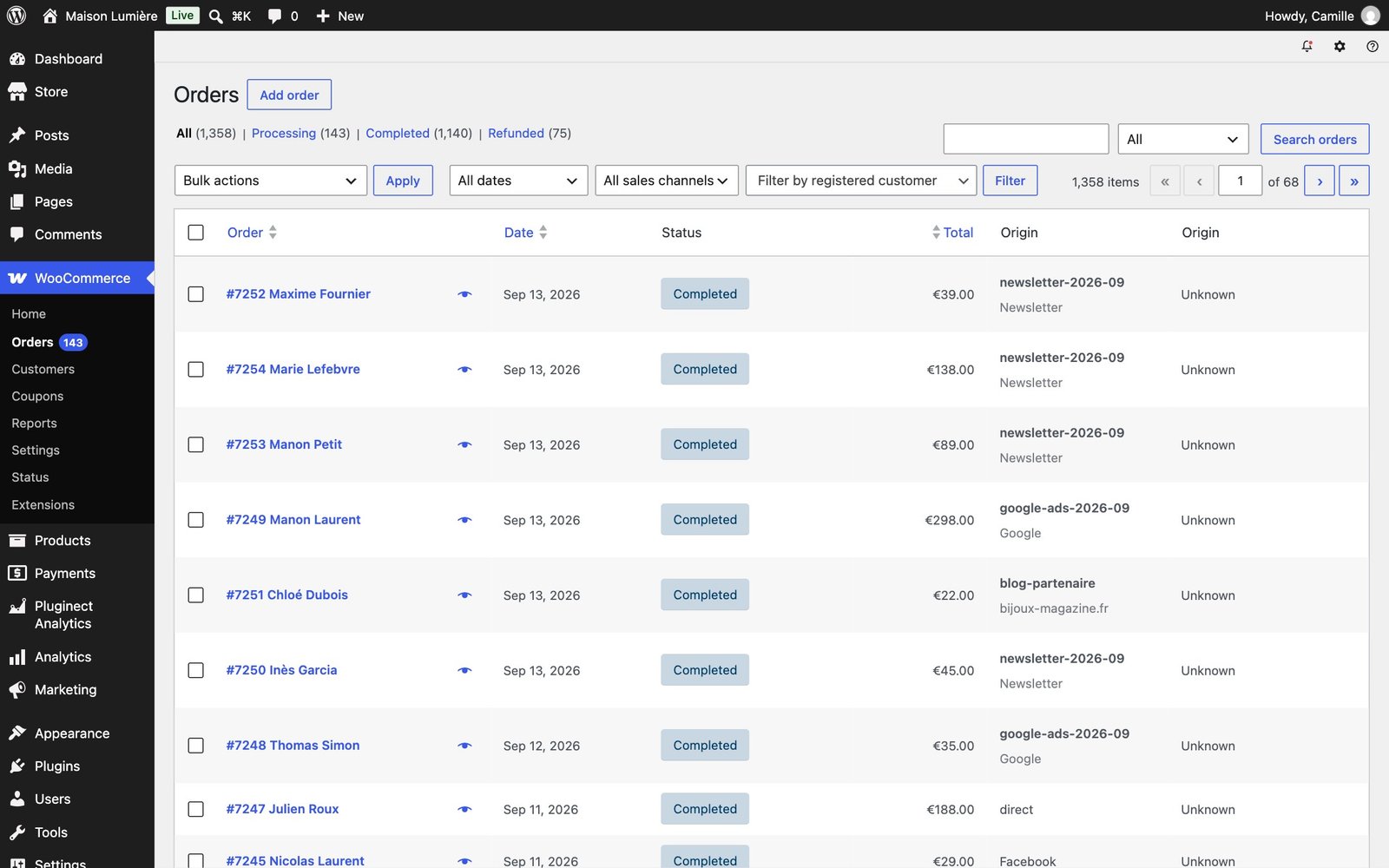
On the left, the orders list as WordPress shows it. On the right, the same list in Store Admin: tabs with counts, payment and fulfillment statuses you can read at a glance, and a search that finds an order number, a customer or a product.
Orders ‹ WordPress
Orders list in the classic WordPress admin
Classic WordPressStore Admin
  • Same store, same 1,358 orders
  • Drag the slider

The screens

Easy to manage, from your first product to your thousandth.

No dashboards to set up: ready-made screens built on your real WooCommerce data, and every one of them is included in the free version.

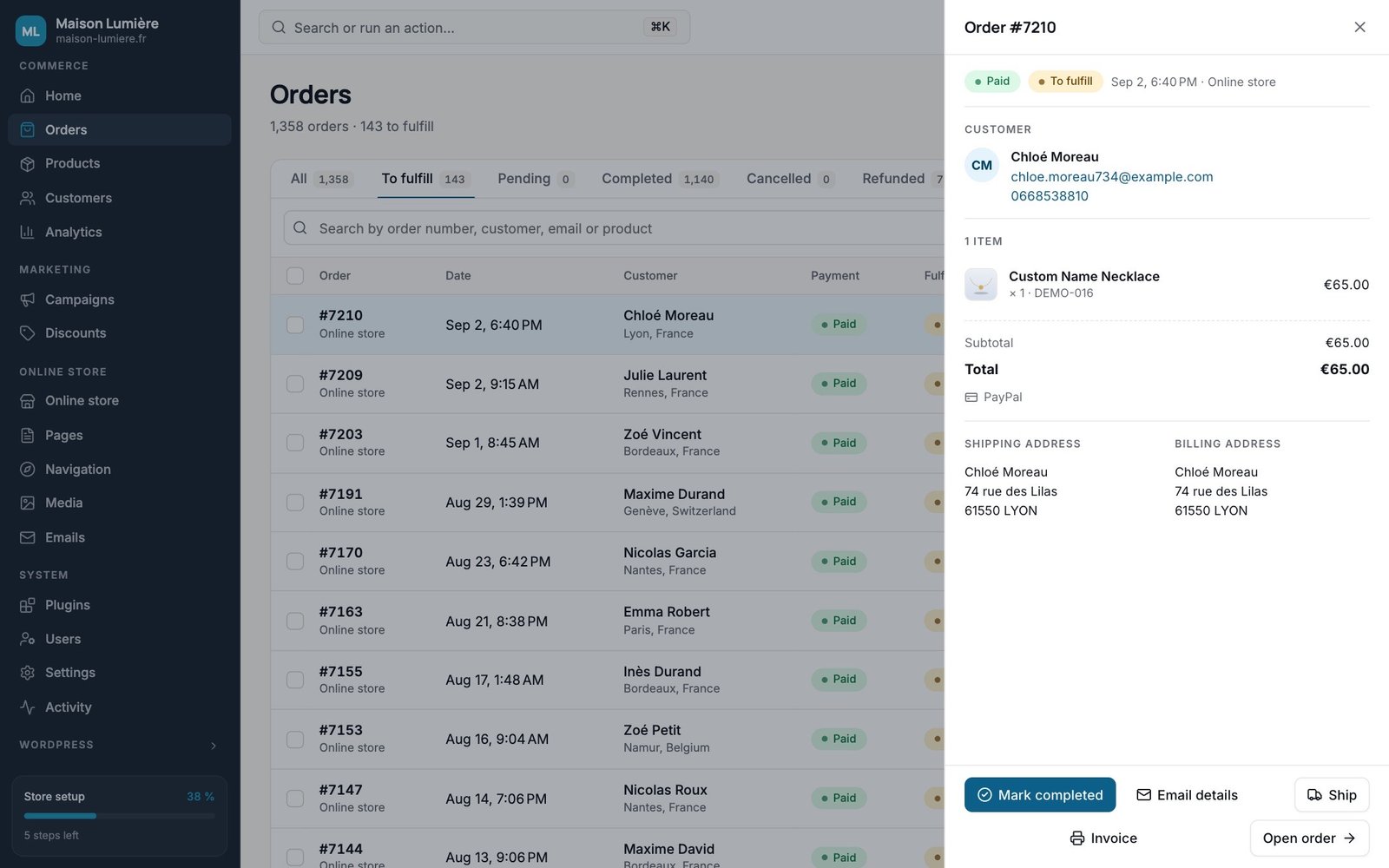
Order quick view

Click an order: the customer, items, totals and addresses open in a side panel, with “Mark completed.” The list stays right there behind it.

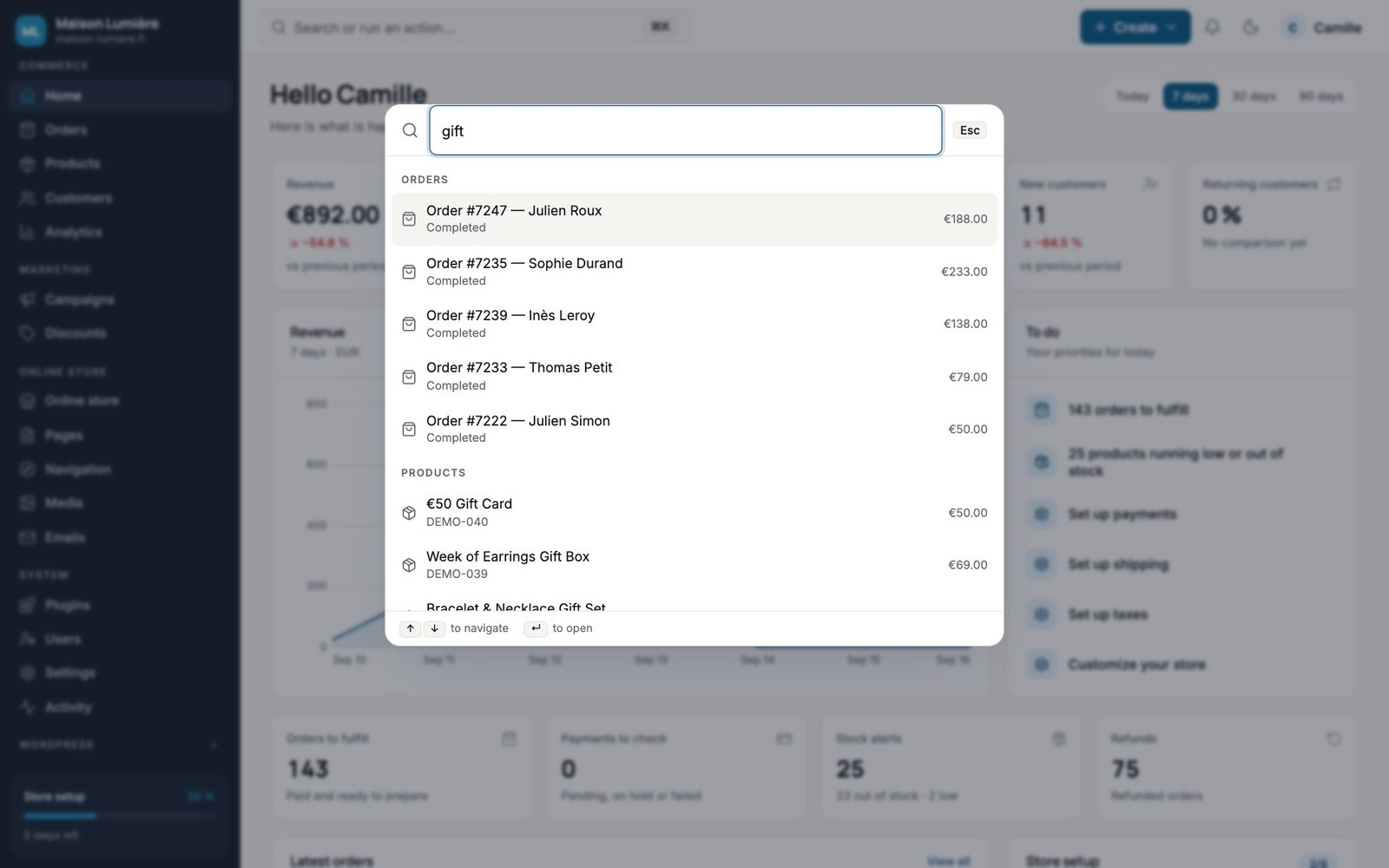
Search everything with ⌘K

An order number, a product, a customer’s email or a screen: type it, hit Enter.

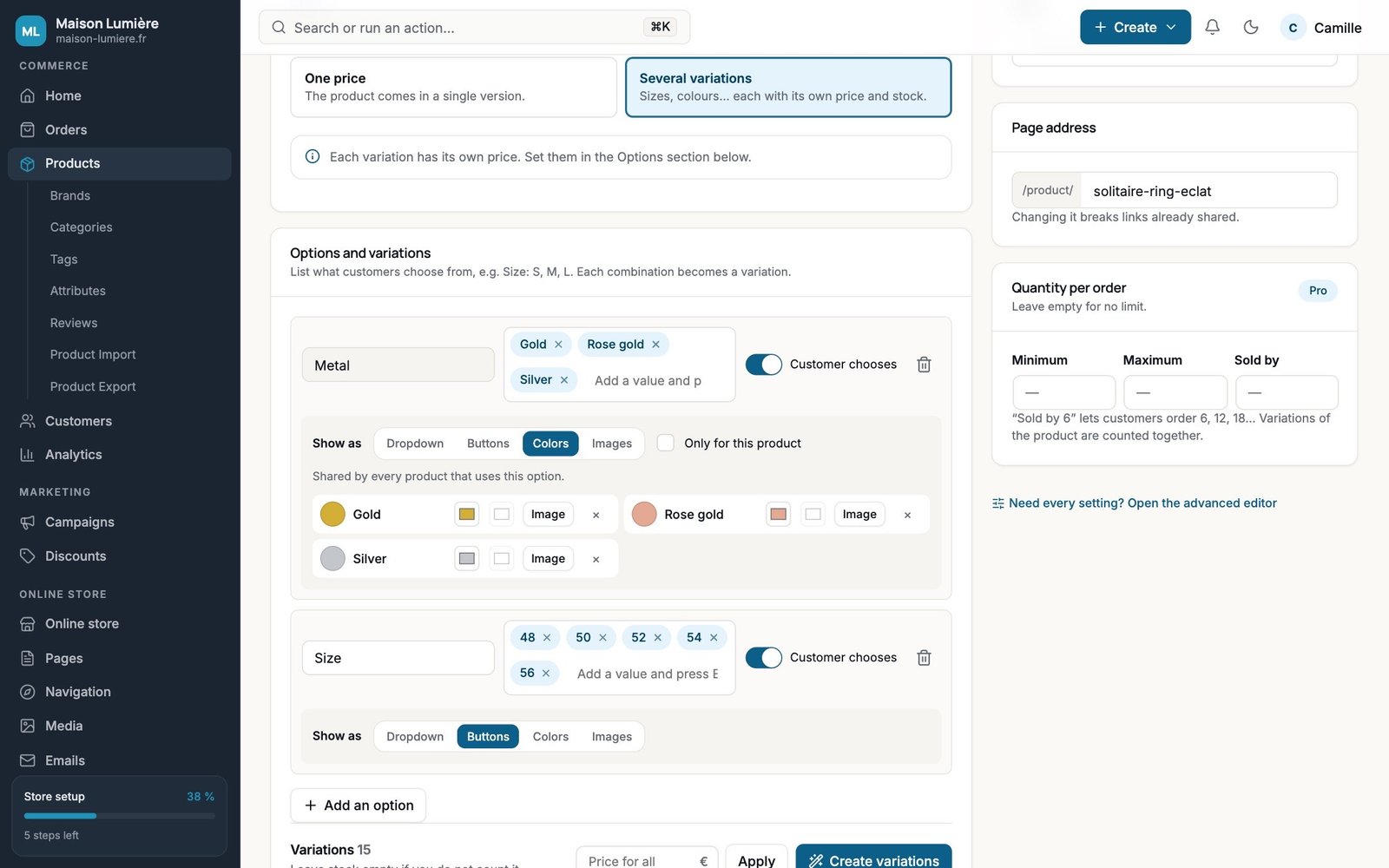
A one-page product editor

Photos, price, stock and variations in one place. One click creates every combination, each with its own price, stock and photos, and the swatches are set up right next to them.

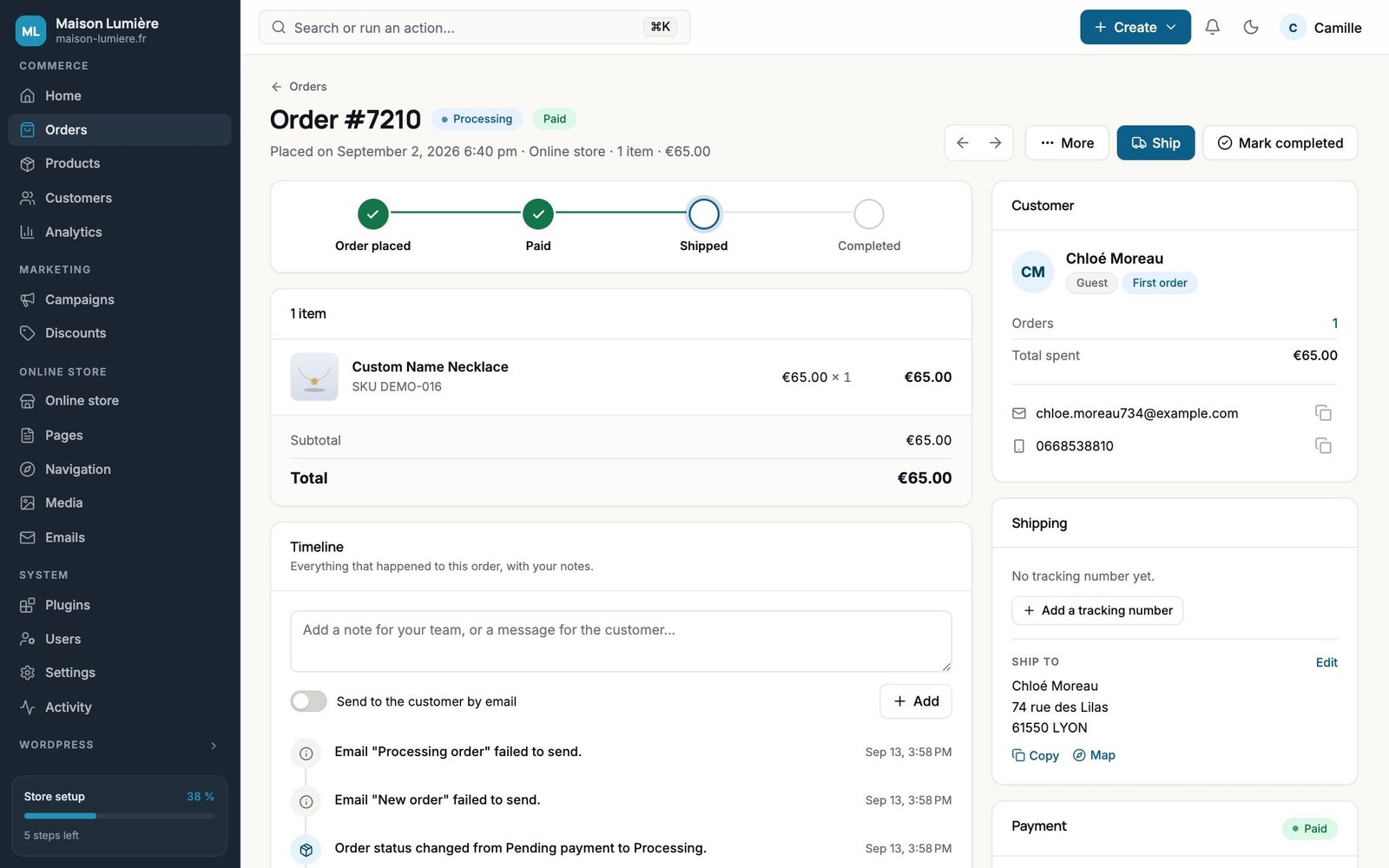
An order page you can actually read

Where the order stands, what’s in it, what happened, and the next step in a single button.

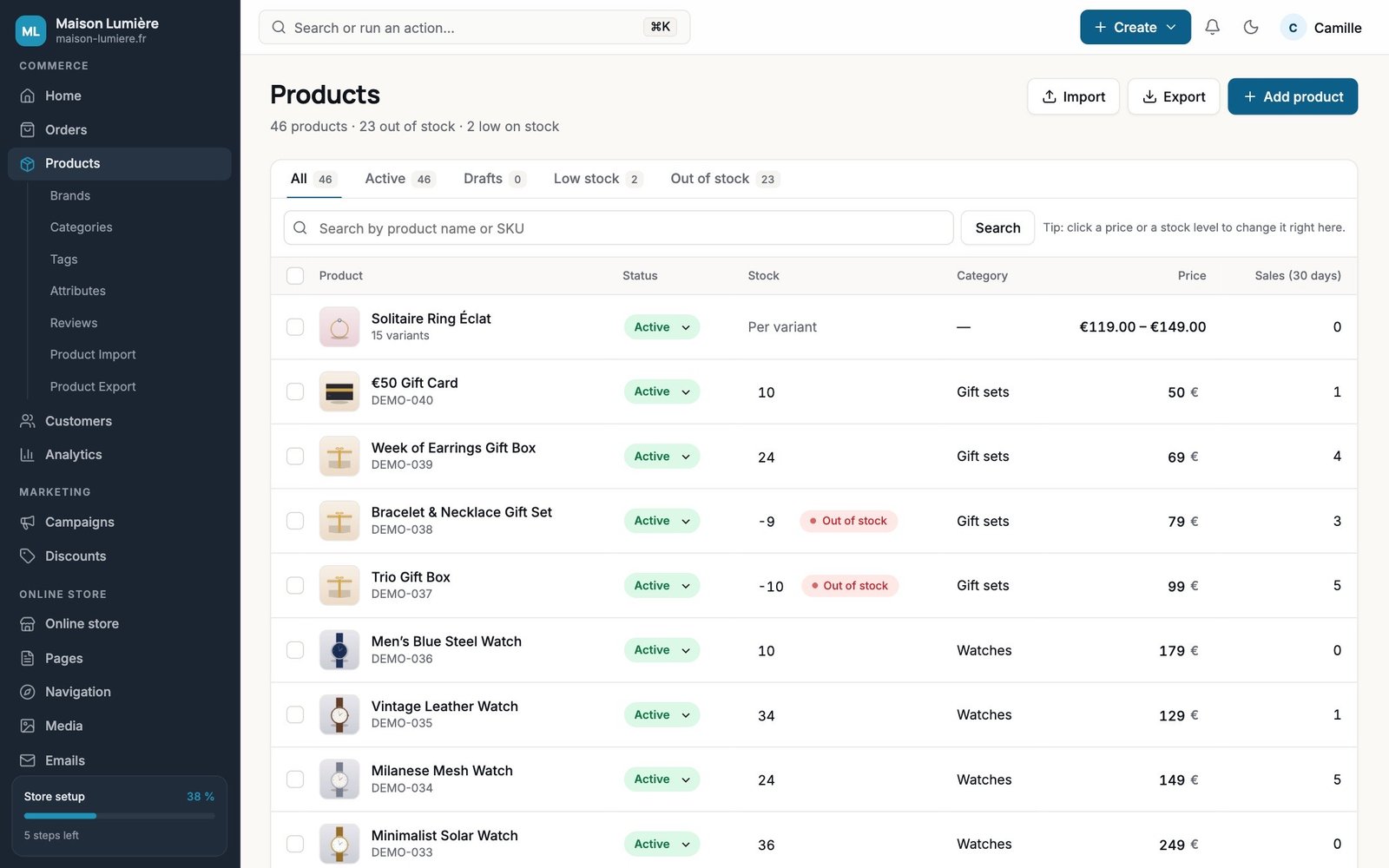
Edit products right in the table

Change price, stock and status directly in the list, alongside sales from the last 30 days.

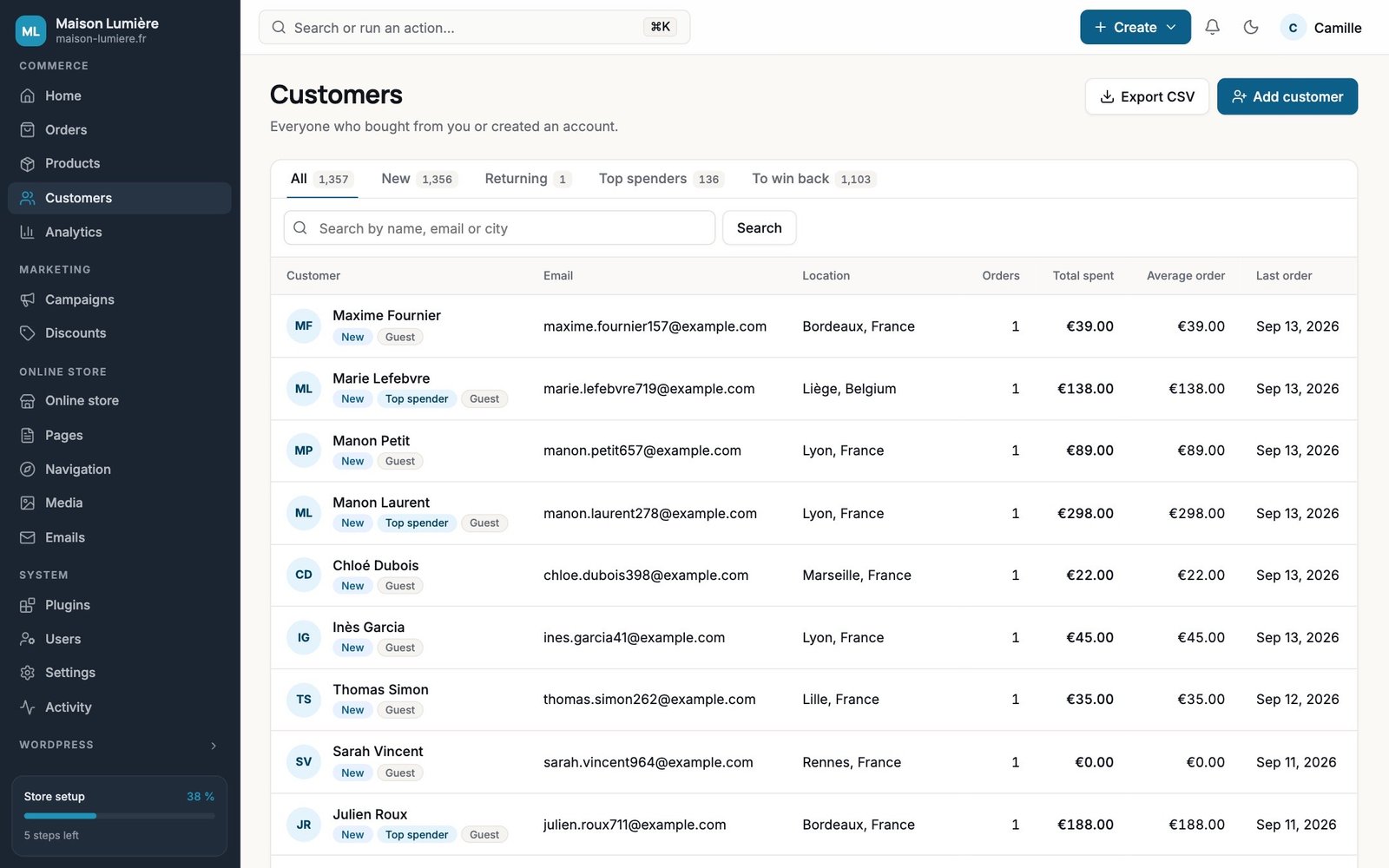
Customers and segments

All your customers, guests included: orders, total spent, average order value, and ready-made segments: new, returning, top customers, and customers to win back.

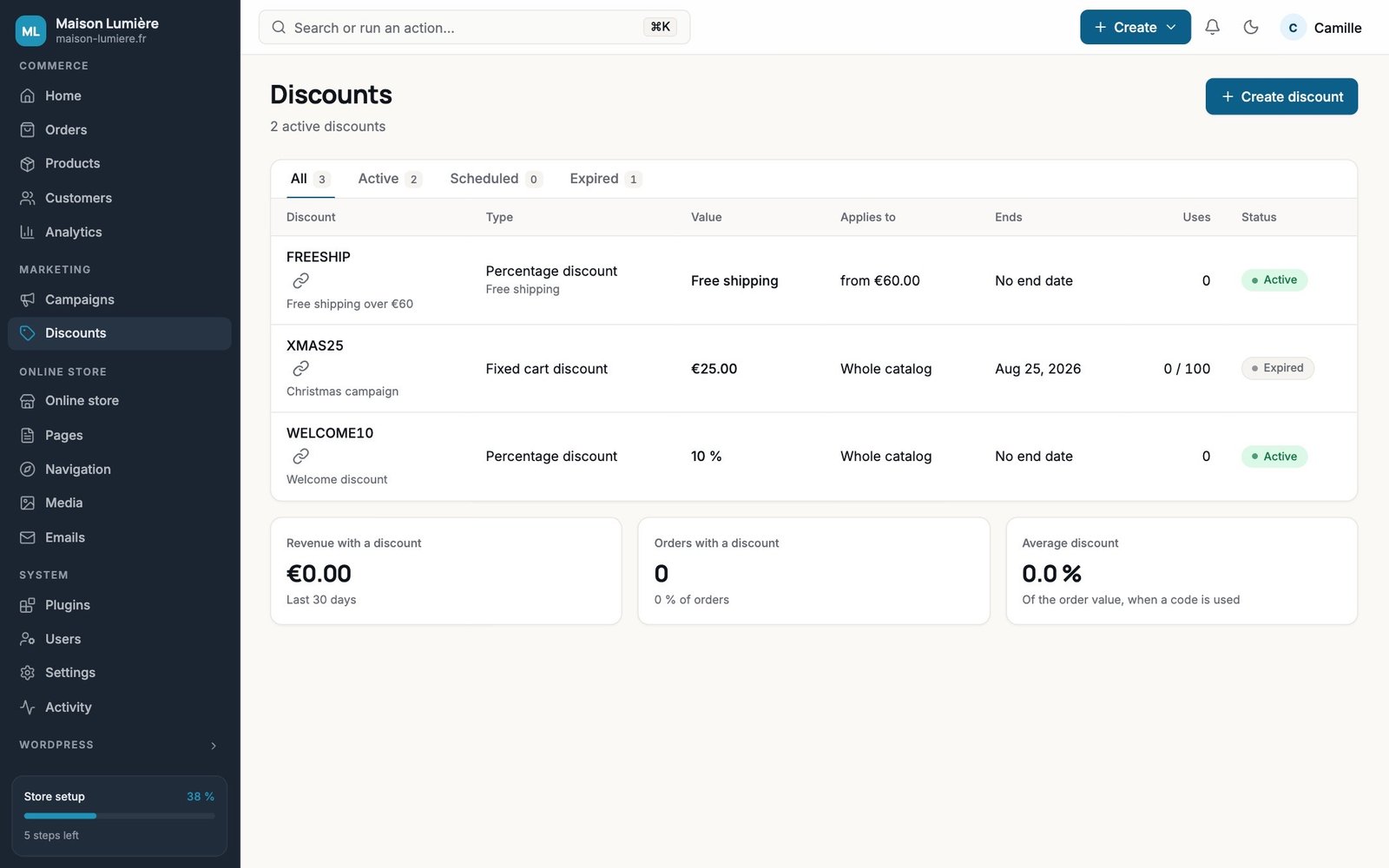
Discounts

Every code with its value, scope, end date and usage, plus how much revenue it brought in.

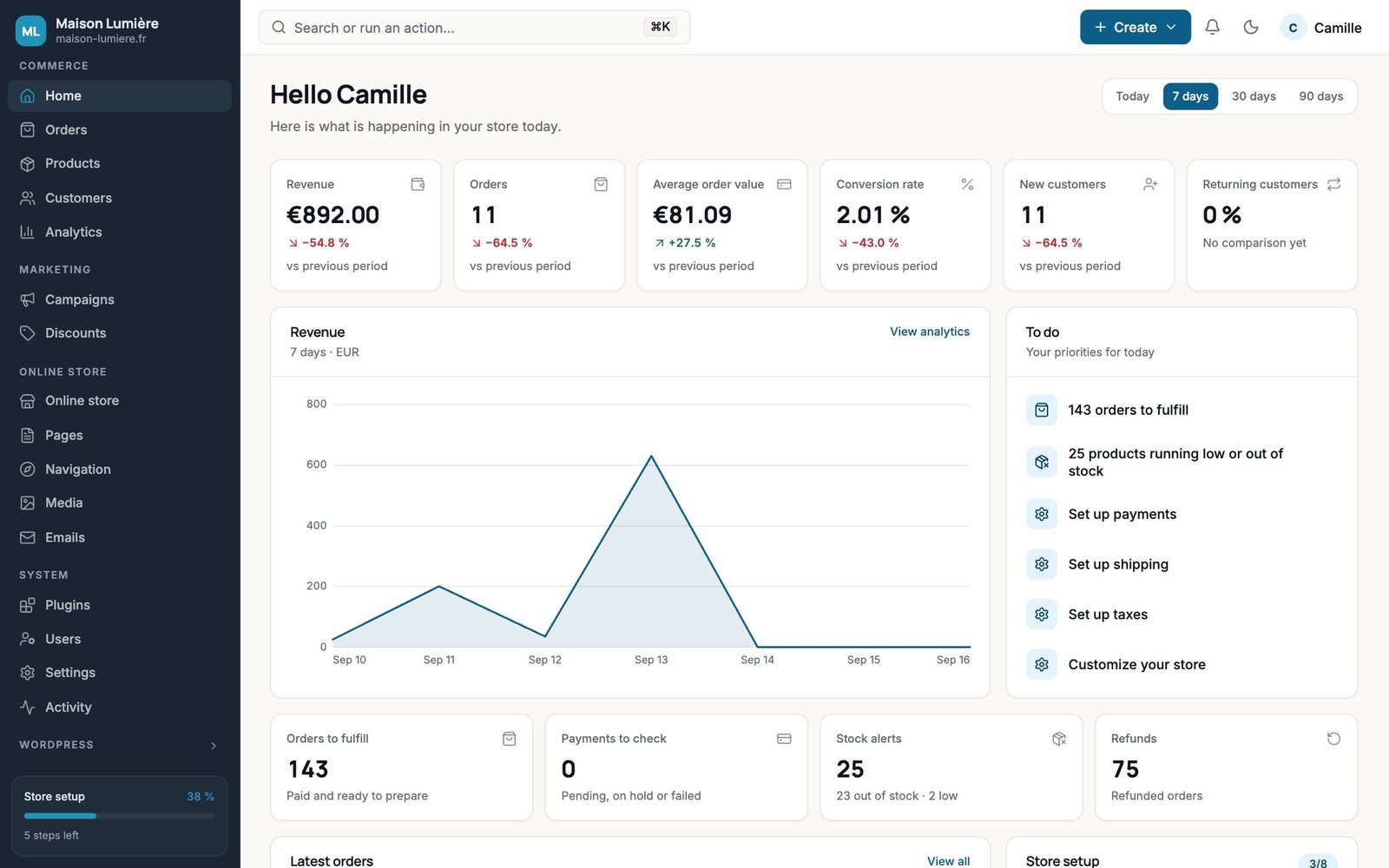
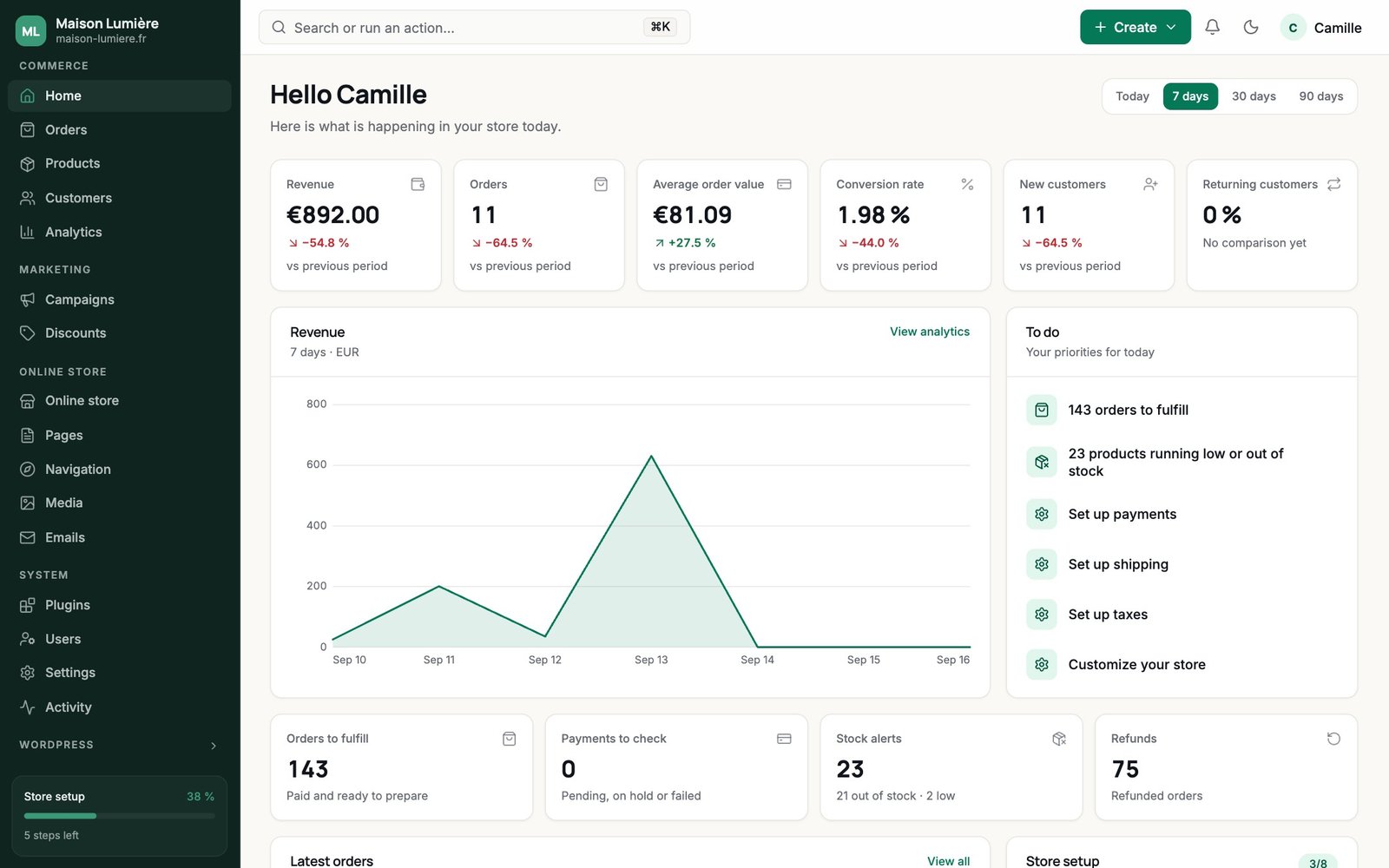
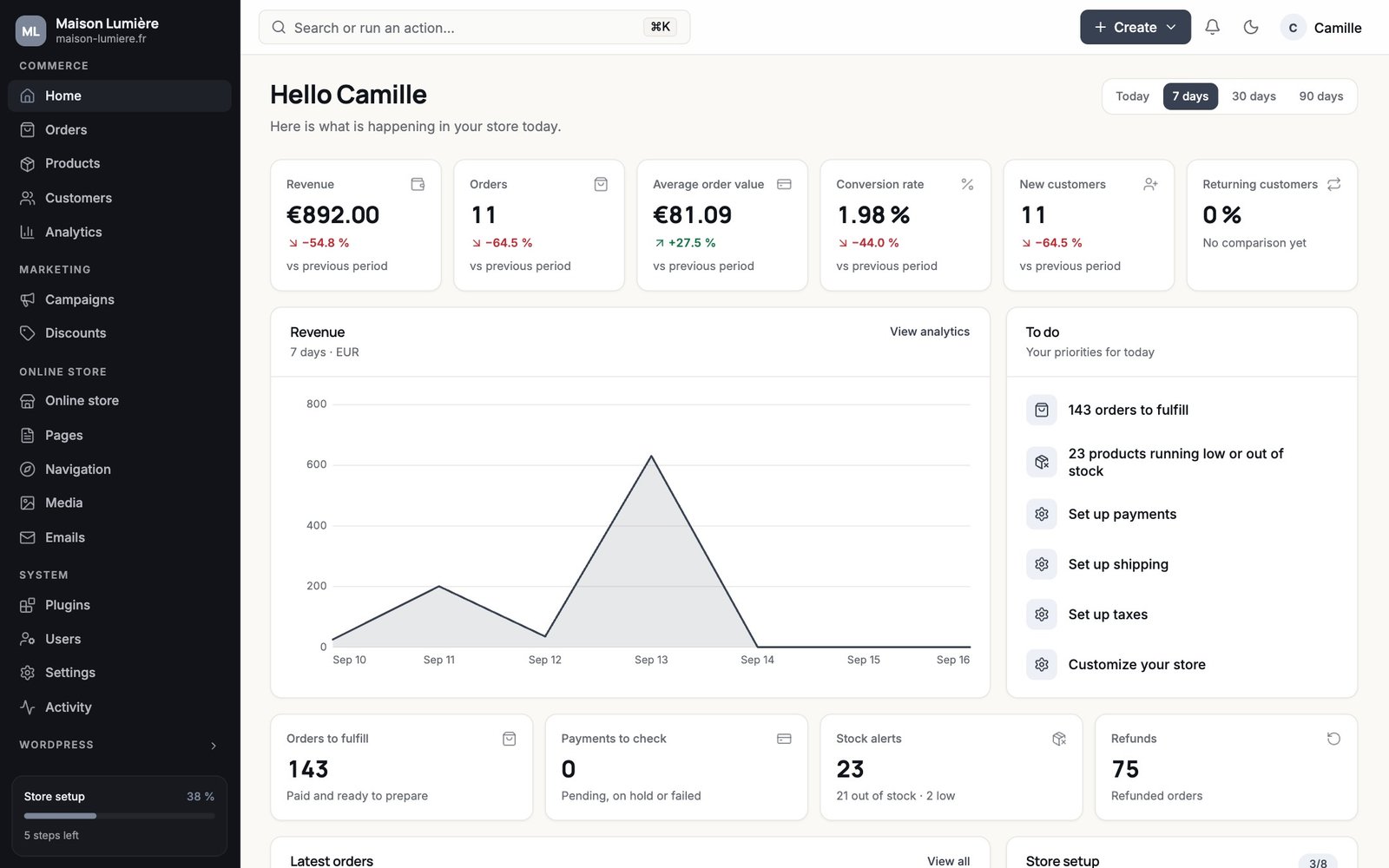
A home screen that tells you what to do

Revenue, orders, average order value, then your priorities for today: orders to fulfill, low stock, settings to finish.

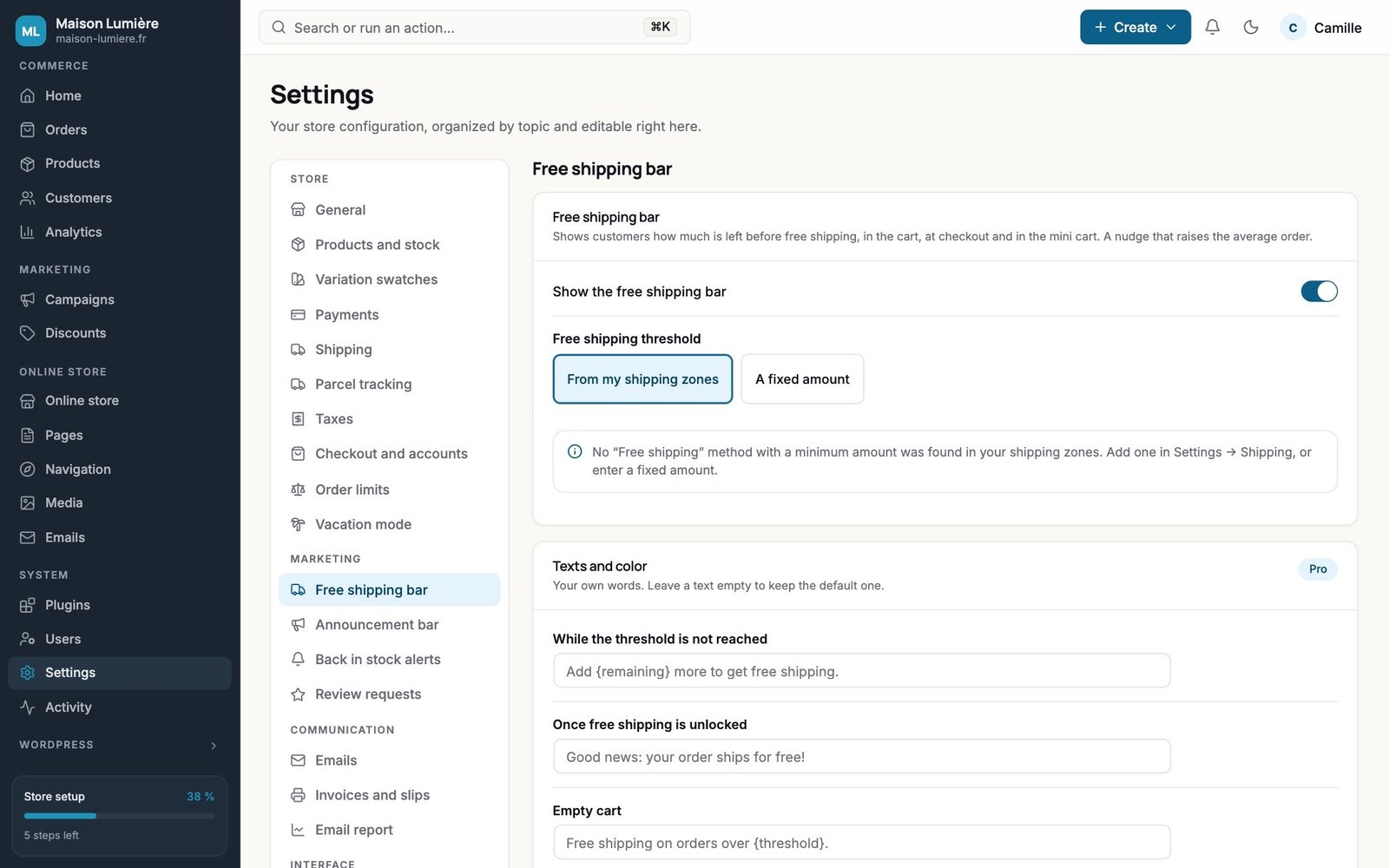
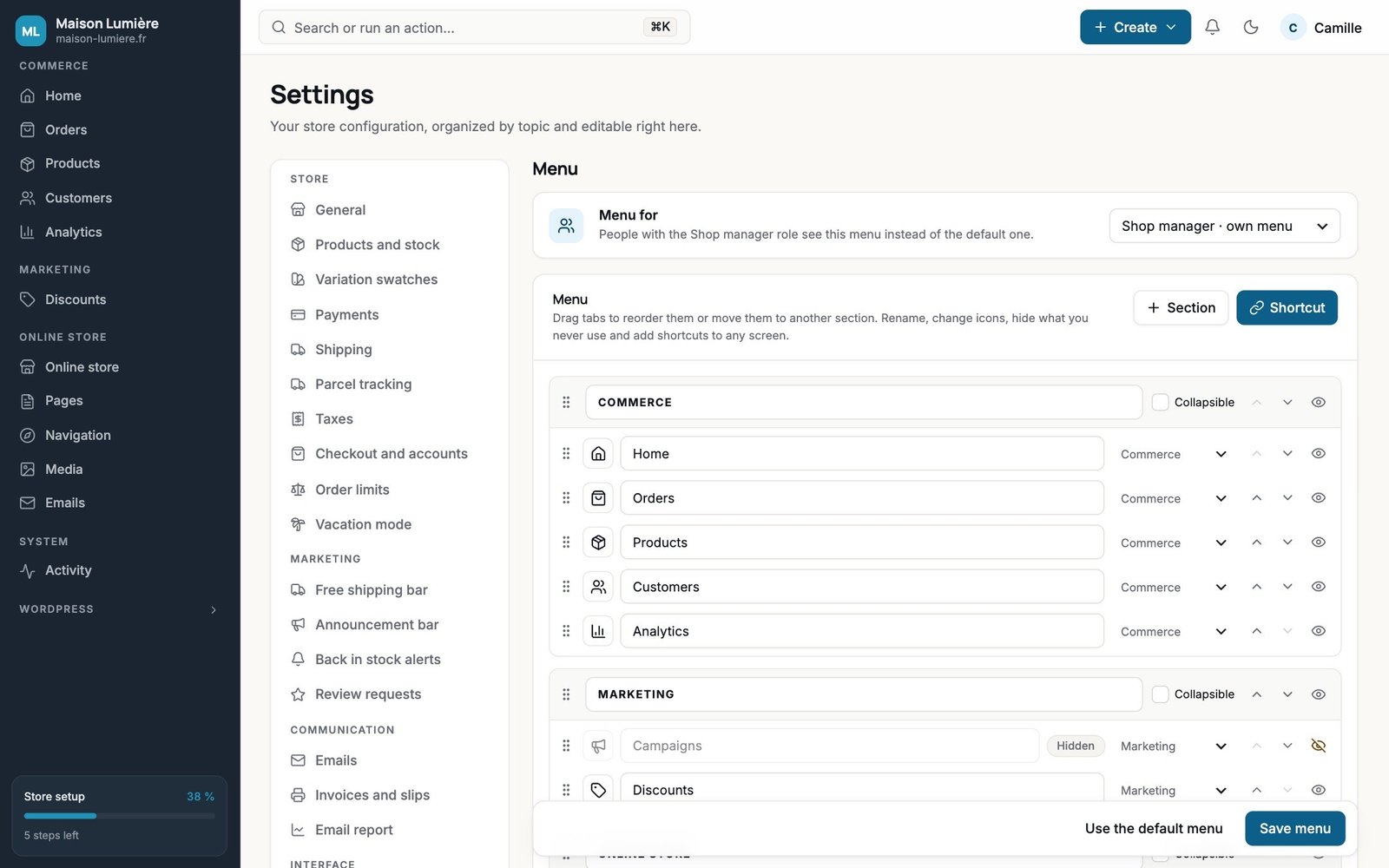
All your settings, neatly organized

Address, currency, payments, shipping, taxes, emails and sales tools: one section per topic, editable right there.

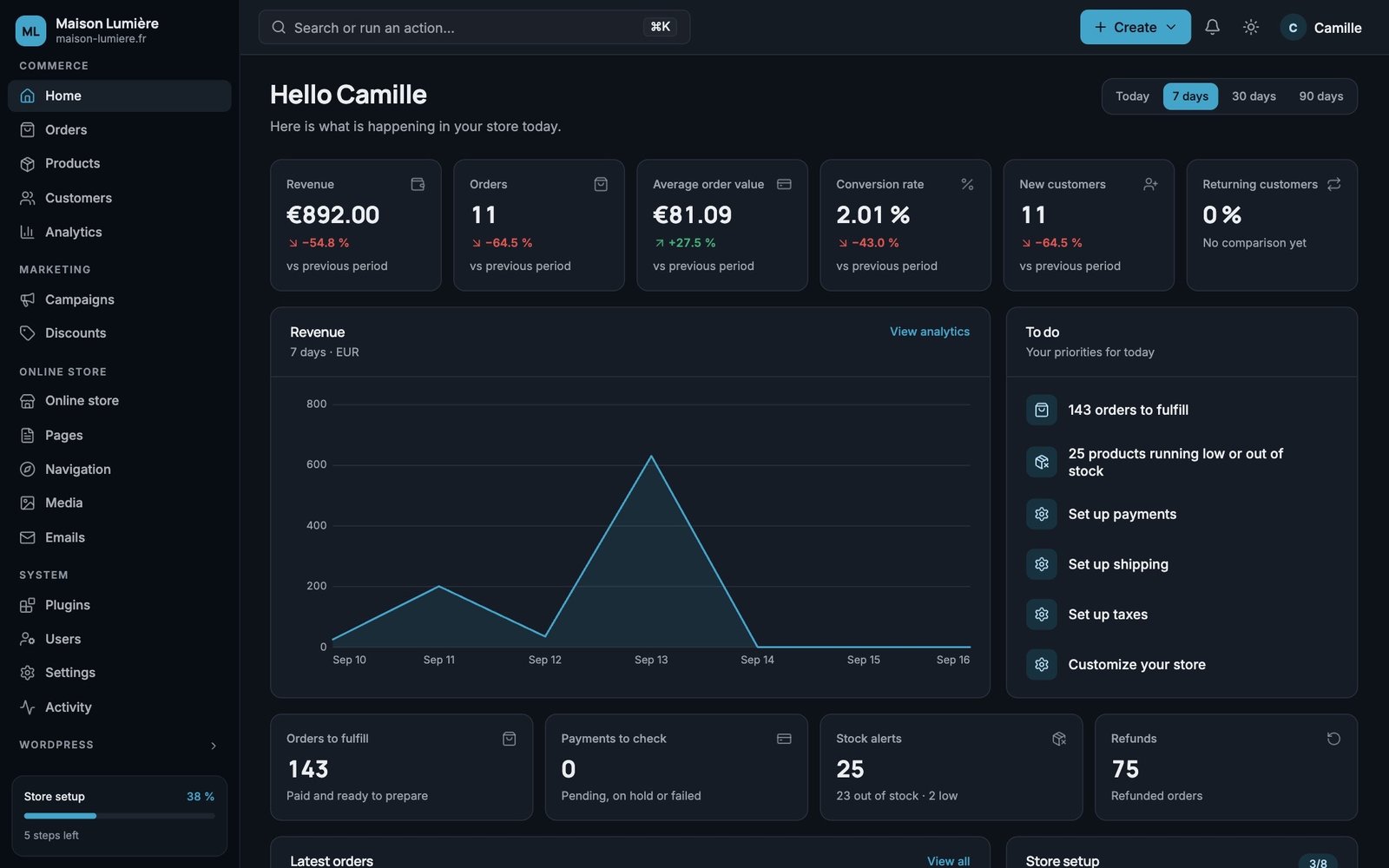
Light or dark

Everyone picks their own theme. Fonts and icons are bundled in: nothing is loaded from a third-party service.

Sell more, already included

The tools that drive sales, with no extra plugins.

Your customers pick a color or a size in one click, see how much more they need for free shipping, and get notified when a product is back. It’s all in the free version, and each tool turns on with a single switch.
  • Variation swatches: colors, images or buttons, with sold-out sizes crossed out
  • Announcement bar and free shipping bar
  • Back in stock alerts and review requests by email
  • Scheduled coupons and a link that applies the code
  • Vacation mode that turns itself on and off
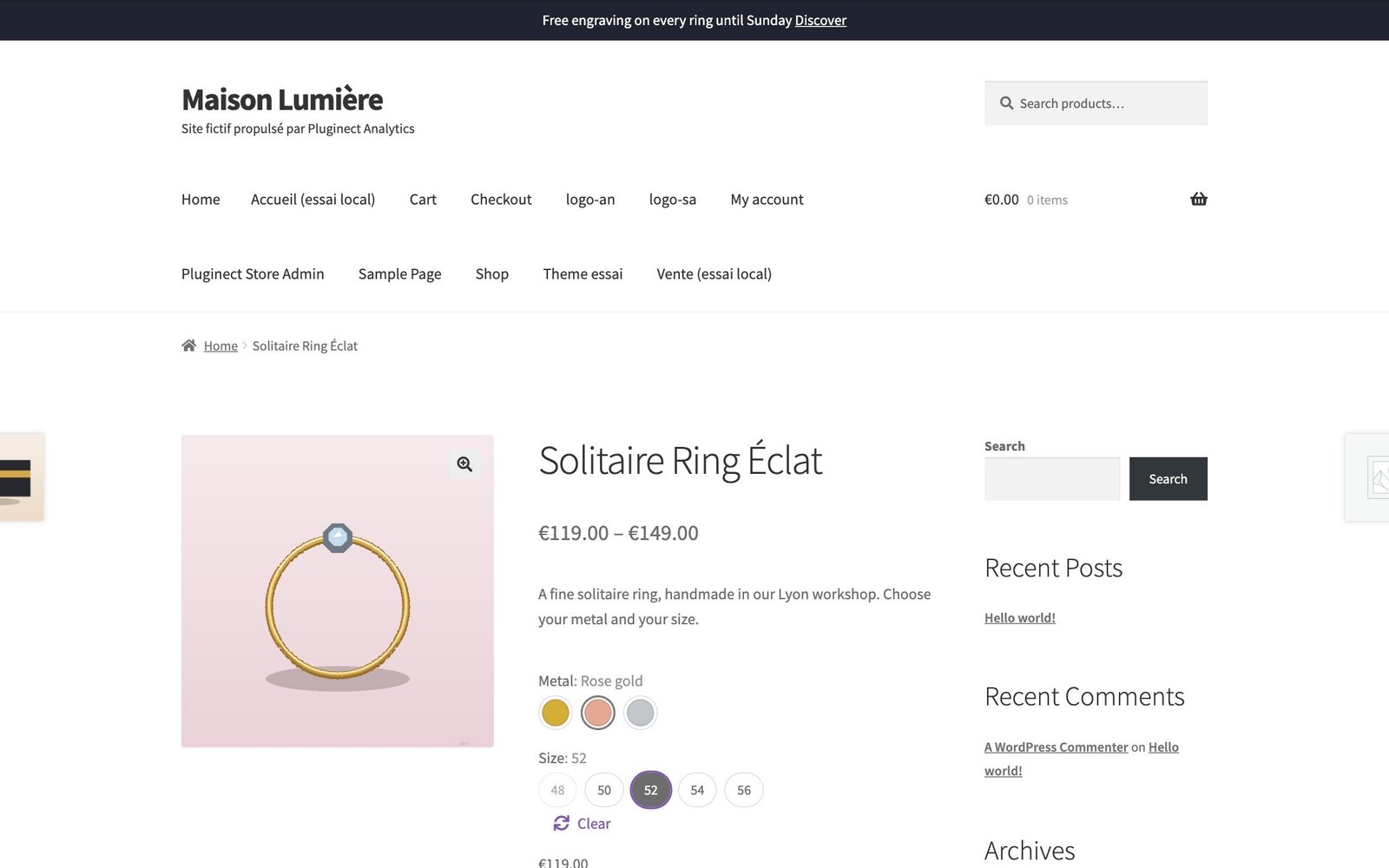
maison-lumiere.fr/product/eclat-solitaire-ring
Product page with color and size swatches, and an announcement bar
Free

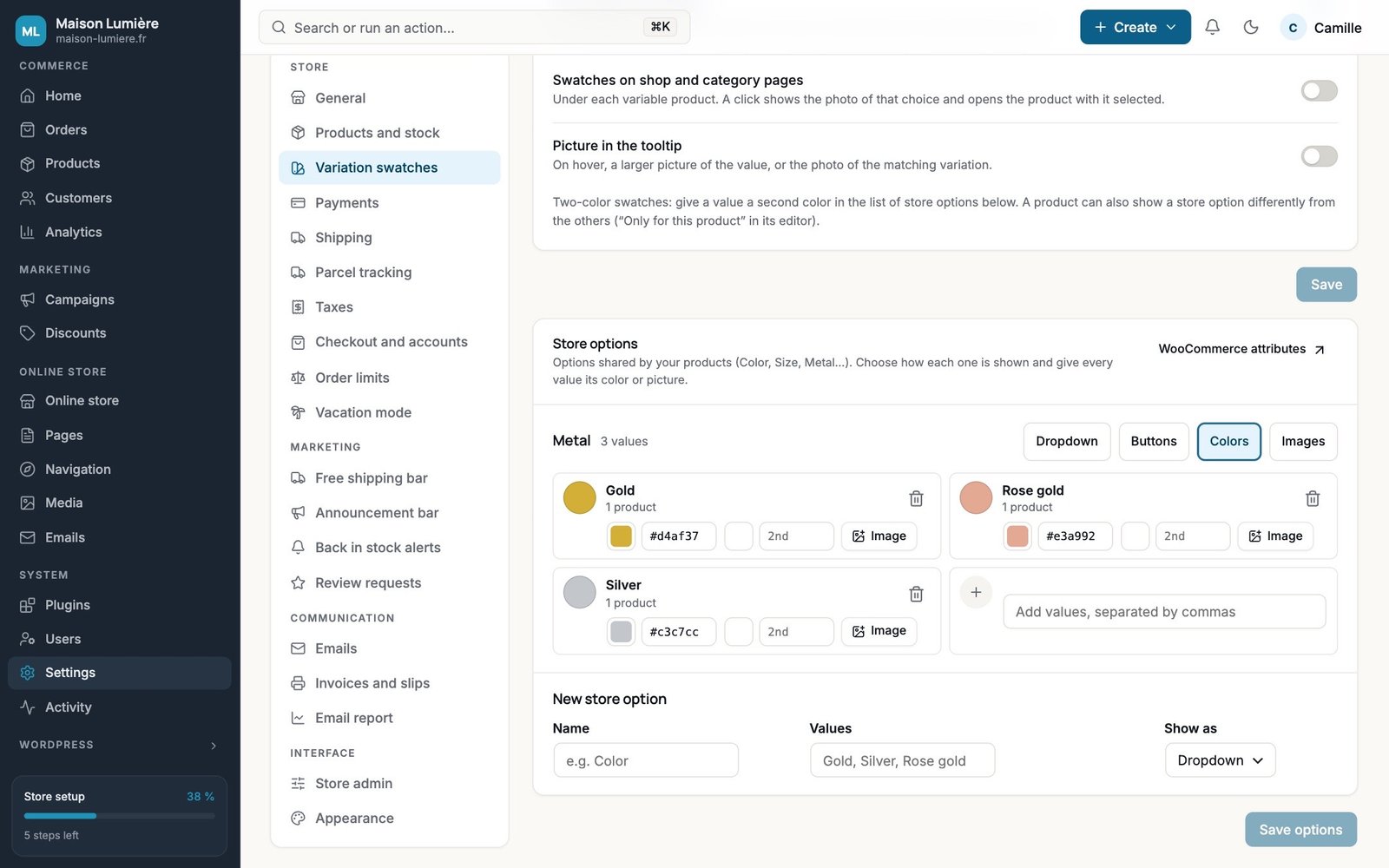
Swatches set up on one page

Show each option as a dropdown, buttons, colors or images; give each value its own color or photo, here or from the product page.

+ Pro: swatches on shop and category pages that switch the product photo, two-tone swatches, image on hover.

Free

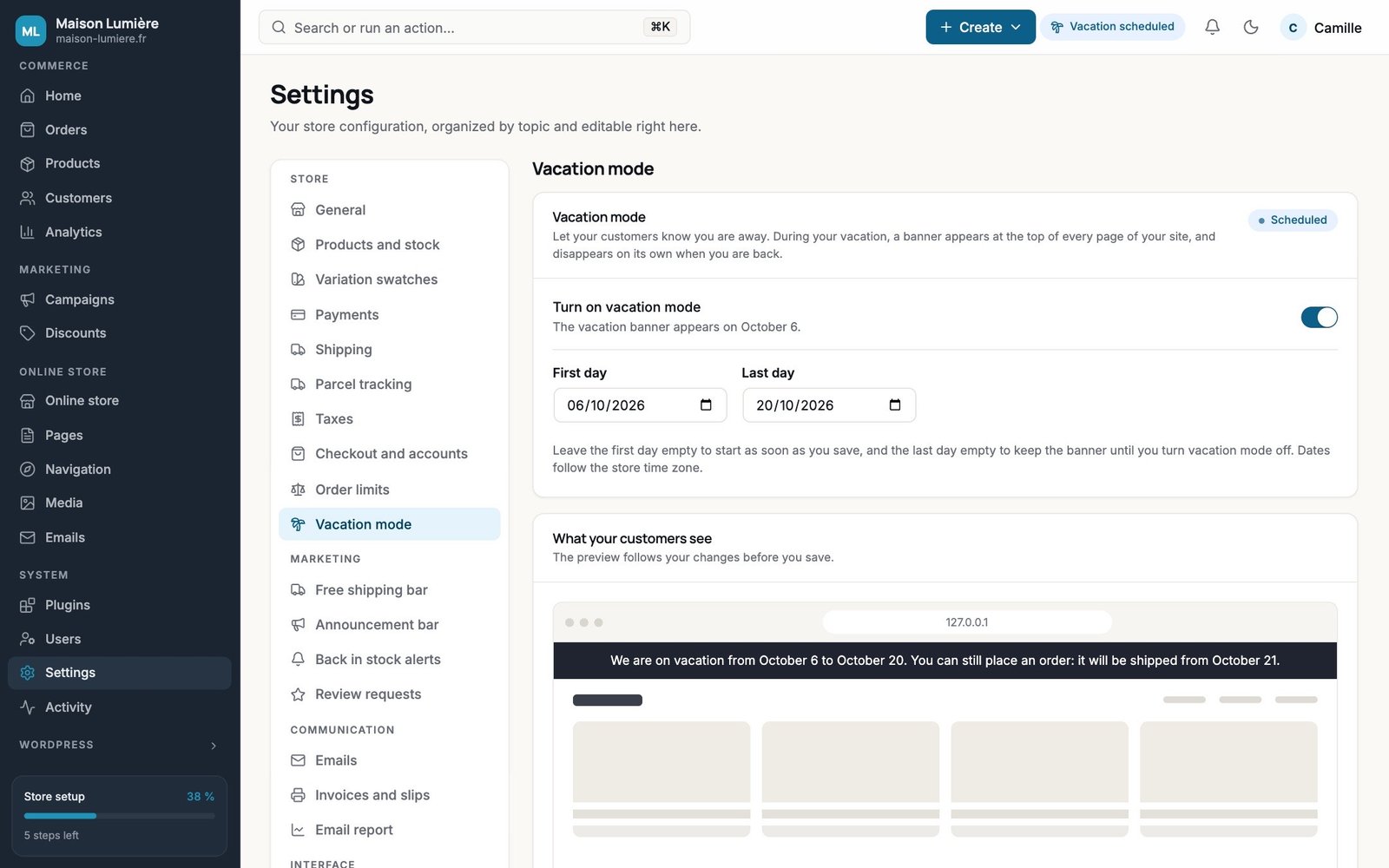
Vacation mode

Your dates, and a banner that tells customers about shipping delays, with a preview of exactly what they’ll see.

+ Pro: your own message, a pop-up, a heads-up before you leave, paused orders or hidden prices.

Free

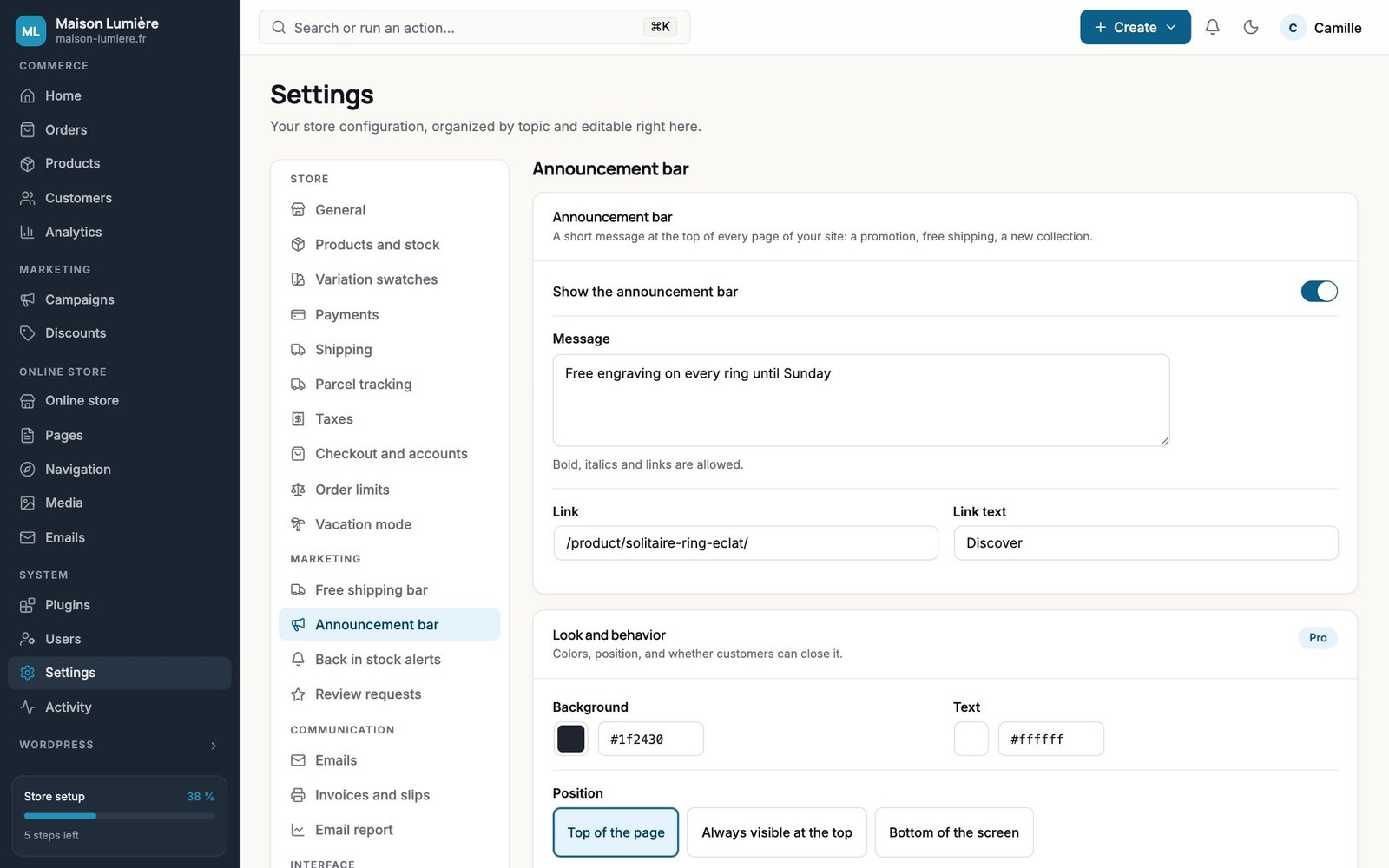
Announcement bar

A sale, a new collection, free shipping: a message and a link at the top of every page.

+ Pro: colors, selected pages, dates, rotating messages and a countdown.

Store Admin Pro

For the store that’s growing.

Invoices, parcel tracking, branded emails, automatic discounts, order limits, reports and an activity log, plus an interface in your colors, with a menu for each member of your team.

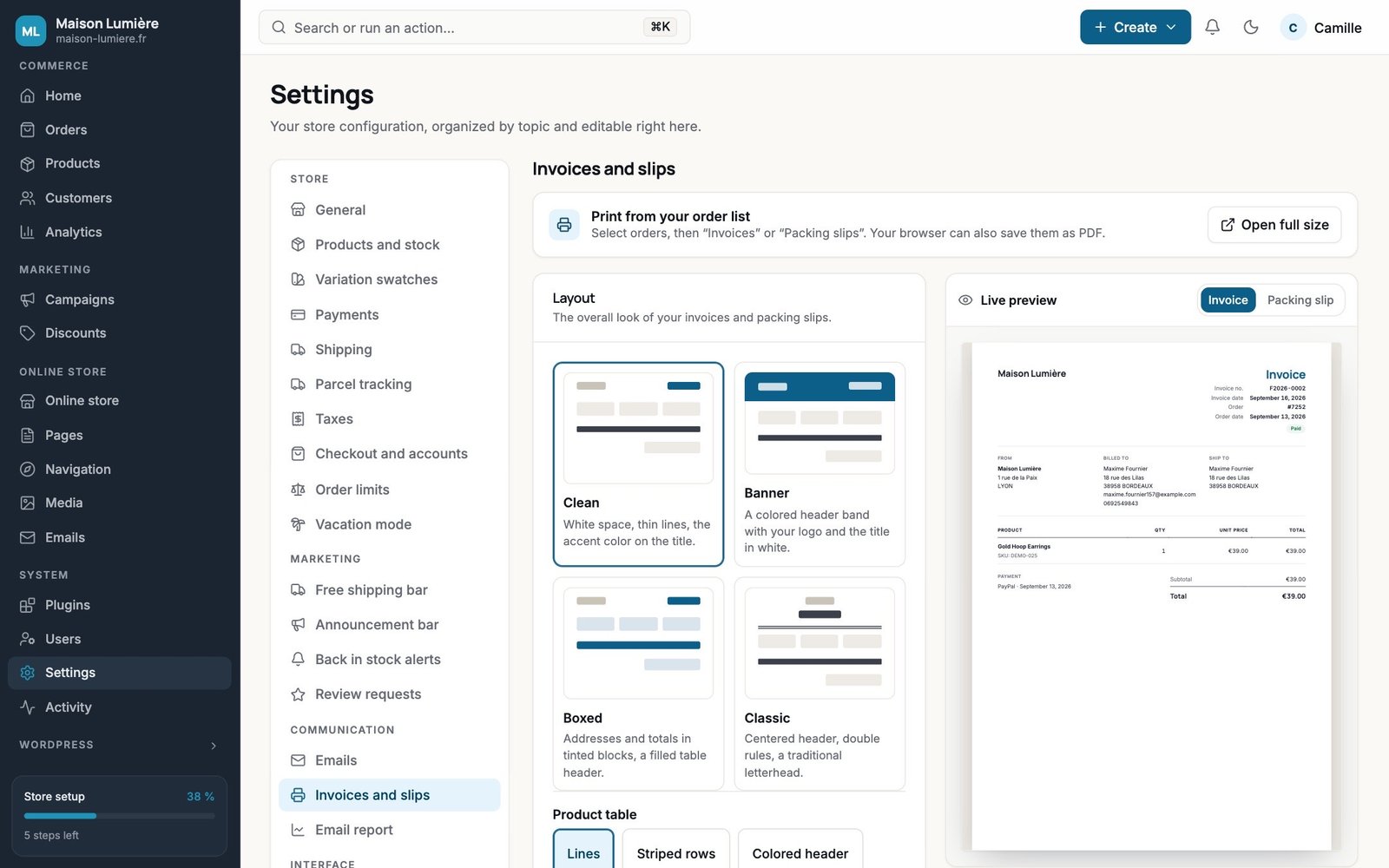
Invoices and packing slips

Numbered automatically, printed or saved as PDF straight from the orders list, one or fifty at a time. Four layouts, your logo, your colors, live preview.

Parcel tracking

The tracking number, the carrier detected automatically among more than 95, the “Order shipped” email, tracking in the customer’s account, bulk shipping and CSV import.
  • Colissimo, Chronopost, Mondial Relay, DHL, UPS…
  • REST API for your shipping label tools

Email center

WooCommerce emails that match your brand: the template, colors, subject, heading and text of every email, with a live preview and test sends.

Sell more, on autopilot

Rules that work for you, and the free sales tools taken to the next level.
  • Automatic discounts: specific days, specific hours, first order, loyal customers
  • Order limits: minimum amount, quantities, packs
  • Swatches on shop pages that switch the product photo
  • Full vacation mode: paused orders, pop-up, announcement
  • Stock alerts with a waiting list and export

Your brand

Your interface. And your team’s.

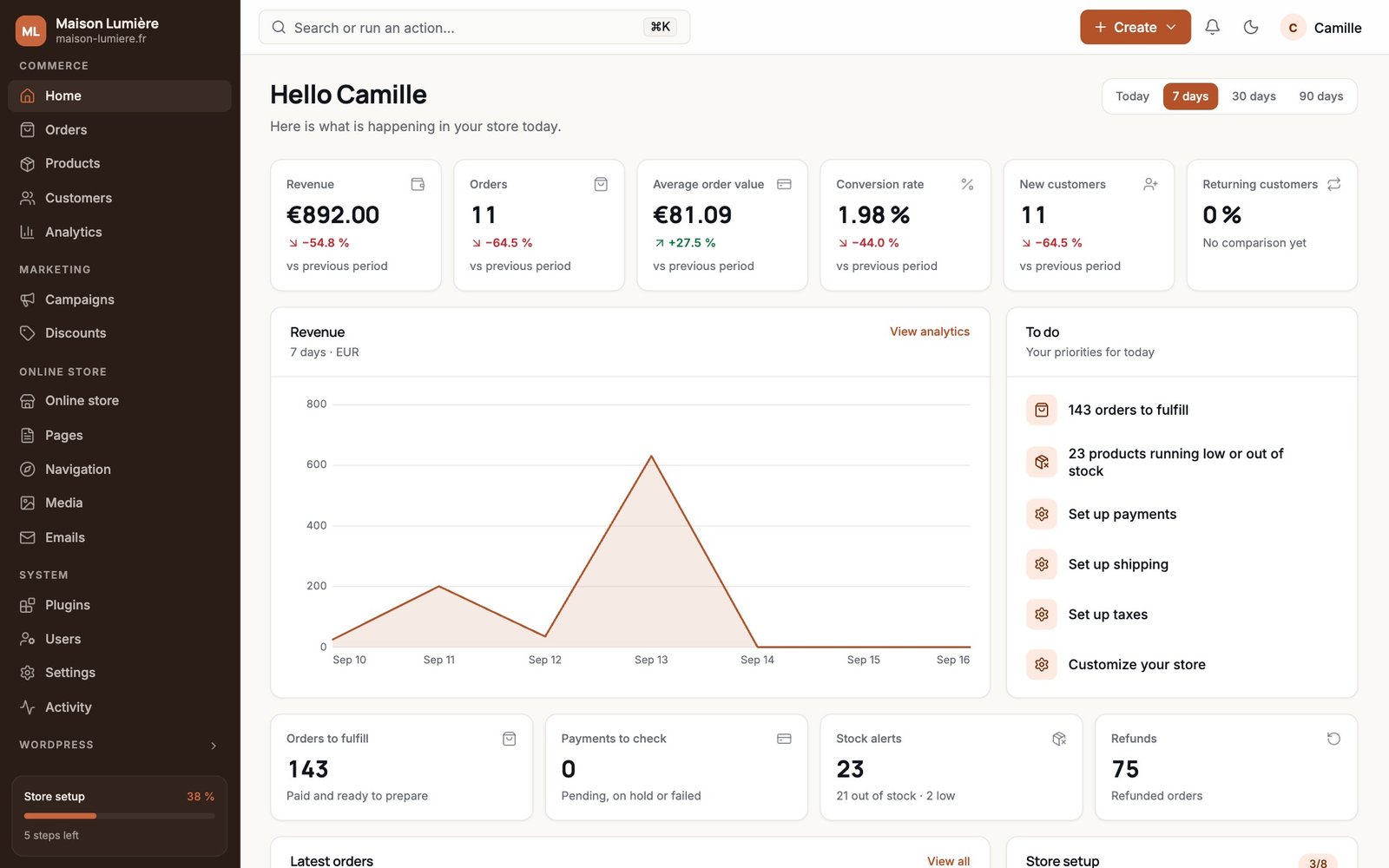
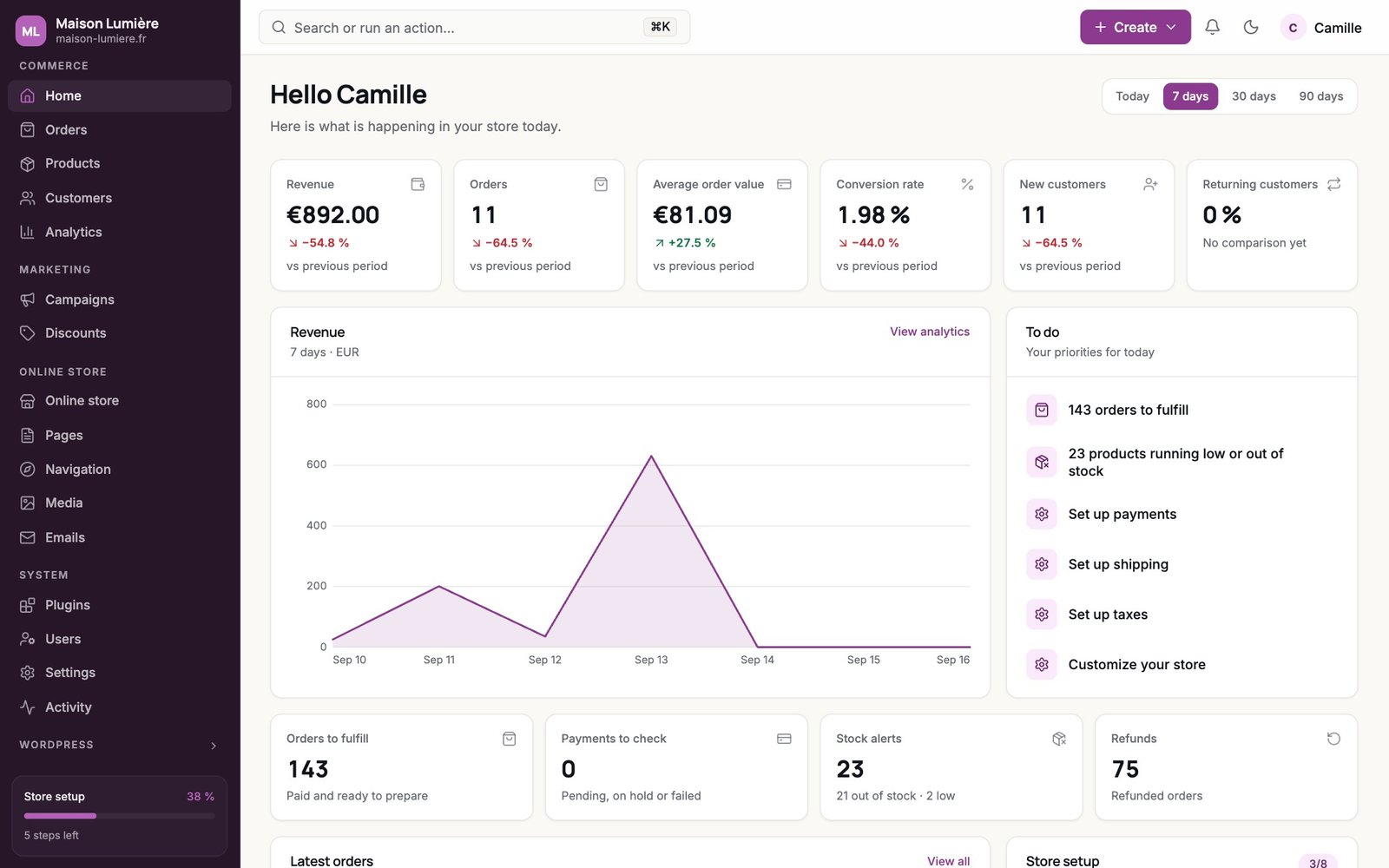
Your colors and logo, the menu in the order you want, a menu for each role, and exports ready for Excel. Switch palettes below: these are real screenshots.
Settings → Appearance
Store Admin, Petrol paletteStore Admin, Emerald paletteStore Admin, Terracotta paletteStore Admin, Plum paletteStore Admin, Graphite paletteStore Admin, Dark palette
  • 7 palettes or your own colors
  • Store logo and name
  • Menu sections, labels and icons
  • Shortcuts to any screen
  • Corner radius and font

A menu for each role

Give a client or an order picker a menu with only their screens. Hidden screens can be blocked, even from a direct link, and the switch back to the classic admin can be removed.

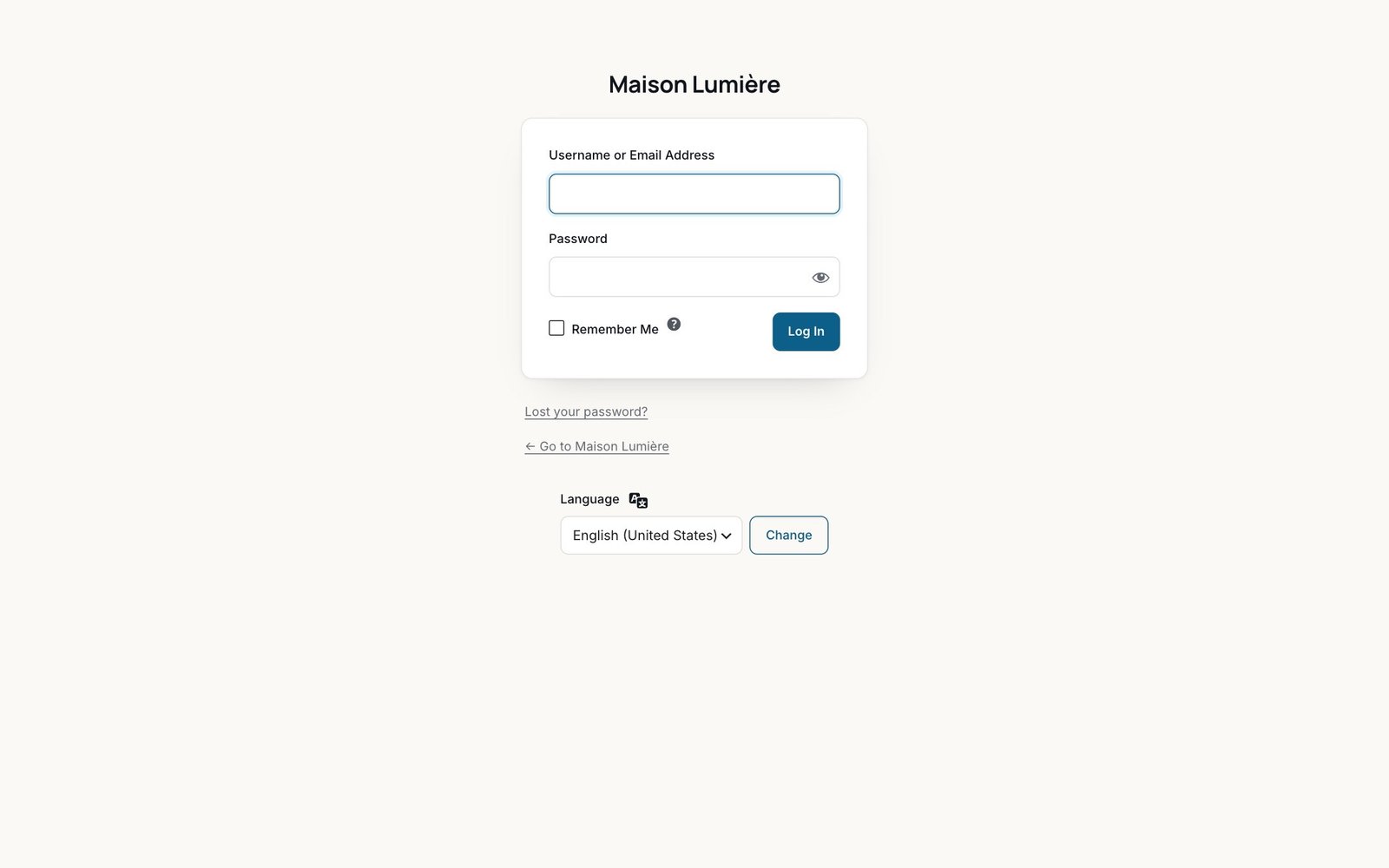
A login page with your name on it

Your logo, your name and your colors instead of the WordPress logo. Security plugins that add fields keep showing up.

CSV exports

Orders and customers, with the current tab, segment and search applied. The file opens with a double-click in Excel, accents and amounts included.

orders-to-fulfill.csv

Order;Date;Customer;Items;Total
7210;2026-09-02 18:40;Chloé Moreau;1;65.00
7209;2026-09-02 09:15;Julie Laurent;2;58.00
7203;2026-09-01 08:45;Zoé Vincent;…
7191;2026-08-29 13:39;Maxime Durand;…
7170;2026-08-23 18:42;Nicolas Garcia;…

Reports and activity log

The sales report every day, week or month in the whole team’s inbox, and a log of who changed which order, which price or which setting.

Free or Pro

Free runs your store. Pro helps it grow.

The free version isn’t a trial: no time limit, and no limit on products or orders.

25 / 25 features included

Store management

6 / 6
  • Store-focused menu, Ctrl K / ⌘K searchFree
  • Home screen, orders (quick view, clear order page), customers and segmentsFree
  • Product editor: one-click variations, photos per variationFree
  • Products: edit price, stock and status right in the tableFree
  • All store settings in one placeFree
  • Light and dark themes, switch back to the classic adminFree

Sell more

11 / 11
  • Swatches on product pagesFree
  • Swatches on shop pages, two-tone, image on hoverPro
  • Free shipping bar and announcement barFree
  • Announcement bar: colors, pages, dates, rotation, countdownPro
  • Back in stock alerts and review requestsFree
  • Waiting list, export, clickable stars, review remindersPro
  • Scheduled coupons and a link that applies the codeFree
  • Automatic and conditional discountsPro
  • Vacation mode: automatic bannerFree
  • Vacation mode: custom message, pop-up, paused orders, hidden pricesPro
  • Order limits: amount, quantities, packsPro

Orders and customers

5 / 5
  • Invoices and packing slipsPro
  • Parcel tracking (more than 95 carriers) and “Order shipped” emailPro
  • Email center: templates, text, preview, test sendsPro
  • CSV exports of orders and customersPro
  • Sales report by emailPro

Team and branding

3 / 3
  • Branded colors, logo and login pagePro
  • Custom menu and role-based menusPro
  • Activity logPro

Everything that is free stays free, with no limit on time, products or orders.

Pricing

A lifetime license, no subscription.

Store Admin Pro

Lifetime license for one site, delivered as soon as you pay. Launch price: your license keeps these terms, even if the price changes later.
€49
incl. VAT

Secure payment · license key and download in your account

Included

  • Every Pro feature: invoices, parcel tracking, email center, automatic discounts, order limits…
  • Lifetime updates, right inside WordPress
  • Support included
  • No subscription, no renewals

Pro is an add-on to the free version (1.2.0 or later), which stays installed. Your settings are kept if the license is removed, and come back as soon as it’s reactivated.

FAQ

Frequently asked questions

Another question before you install or buy?
Does Store Admin replace my other plugins?

It covers what many stores install separately: swatches, a free shipping bar, an announcement bar, back in stock alerts, review requests and vacation mode, plus, with Pro, invoices, parcel tracking, automatic discounts and order limits. Each tool turns on separately, so if another plugin already does the job, just leave the matching tool off.

Can I try Store Admin before installing it?

Yes. The live demo opens a sample store, no sign-up needed. Your changes are only visible to you, and everything is reset every night.

What stays free?

The entire admin (home, orders, products, customers, discounts, settings) and the core sales tools: swatches on product pages, free shipping bar, announcement bar, stock alerts, review requests, scheduled coupons and vacation mode. No time limit, and no limit on products or orders.

Does Store Admin change my data?

No. It reads your orders, products and customers through WooCommerce, and the only actions it offers (changing an order status, editing a price or stock level, enabling a payment method) are ones WooCommerce itself performs.

Will my other plugins still work?

Yes. Their menus are grouped under “Apps,” and the product, order and settings pages are still WooCommerce’s own screens, restyled, so anything plugins add there keeps showing up. If a screen doesn’t display correctly, add ?pnsa-safe=1 to its URL to open it in the classic admin.

Can I switch back to the classic WordPress admin?

Anytime, from the account menu in the top right corner; each user decides for themselves. Deactivating the plugin puts the admin back exactly the way it was.

Who sees the new interface?

By default, administrators and shop managers. You can limit it to administrators only. Editors, authors and customers keep the classic admin.

Is it compatible with HPOS?

Yes, it works with High-Performance Order Storage as well as legacy order storage.

Is the license really lifetime?

Yes. One payment, no subscription, no renewals: Pro features, updates and support stay included for as long as the plugin is maintained. If the price changes later, licenses already purchased keep these terms.

Can I move my license to another site?

Yes. Deactivate it under Settings → License on the first site, then activate it on the new one. Customization settings stay saved on each site.

Do I need to keep the free version to use Pro?

Yes. Pro is an add-on to the free version, which provides the interface, so both stay installed and active.

A clear store, run in a few clicks.

Install the free version: the whole admin and the first sales tools are included, and the classic admin stays one click away.